> ## Documentation Index
> Fetch the complete documentation index at: https://docs.gettap.co/llms.txt
> Use this file to discover all available pages before exploring further.
# Member activity
> See what each member is capturing and recording, and how the team compares.
The members view breaks team activity down per person: meetings held, leads captured, and how each compares against the rest over the period you've selected.
## What it shows
**Members Activity** on Team Insights has one row per member:
| Column | Meaning |
| - | - |
| Leads | Contacts captured in the period |
| Views | How often their profile was opened |
| Taps | How often their card or profile was shared |
| Notes | Notes they wrote or recorded on leads — sort by it to see who documents their conversations |
| Last mobile session | When they last used the app |
| Last dashboard session | When they last used Tap Teams |
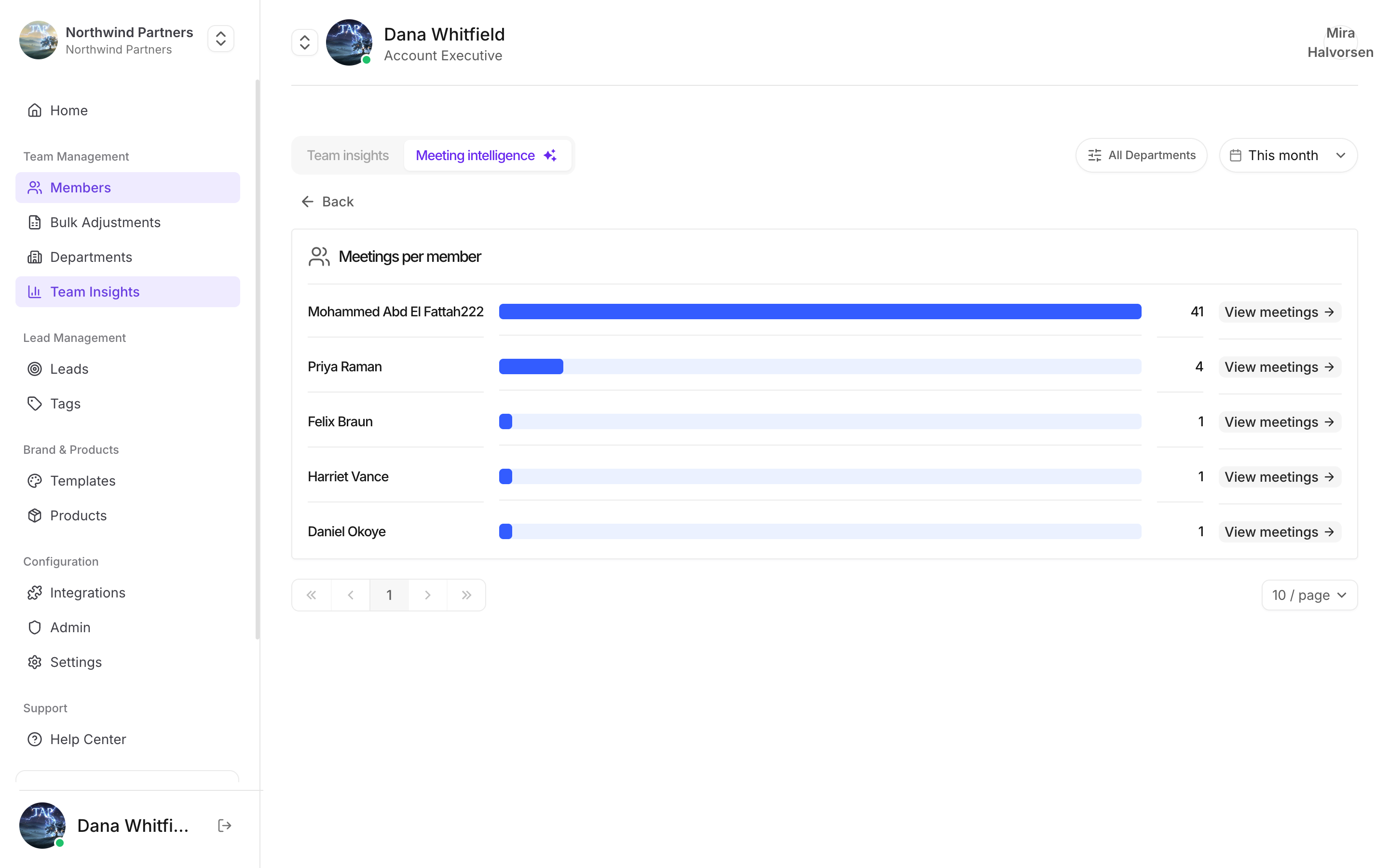
**See All** opens the full list, with search. Meetings per member are on the **Meeting intelligence** tab.
## What it's genuinely good for
A member with zero meetings is usually a training or setup problem, not a motivation one. Check they can actually record before assuming anything else.
Transcription minutes are a shared pool. This is where you see whose recordings are consuming it before you buy more.
Wildly uneven capture counts at the same event usually mean someone was stuck on a stand alone while others worked the floor.
Read alongside [action completion](/en/insights/action-completion) — the person with good numbers on both is worth having demonstrate their approach.
## What it's not good for
This is an **activity** view, not a performance ranking. Capture counts depend on territory, event size, and role far more than on effort. A rep at a flagship conference will out-capture one working regional meetups no matter how good either of them is.
Used as a leaderboard, it reliably produces gaming: low-quality captures that inflate the number and help nobody.
## Reading it with other views
Activity means most in combination:
* **High meetings, low completion** → overloaded, not underperforming. Look at redistributing rather than coaching.
* **Low meetings, high completion** → thorough. Possibly under-deployed.
* **High meetings, declining sentiment** → volume at the expense of quality, or a hard territory. Worth a conversation before it's a trend.
* **Zero of everything** → almost always setup. Check permissions, CRM access, and that they've actually completed onboarding.
The other half of the picture.
This documentation is built and hosted on [Mintlify](https://mintlify.com), a developer documentation platform.