
What you can control
Four independent mechanisms. They don’t interact — each is evaluated on its own.Profile fields
Per field, whether members of this department may edit it. Lock name, title, and company; leave photo and bio open.
Link types
Per link type, whether members may add or edit it. Allow LinkedIn and email; block personal social accounts.
CRM access
Which CRM providers this department can reach. Presence of a grant means access; no grant means no access.
Location features
A single on/off switch for location capture. Off by default.
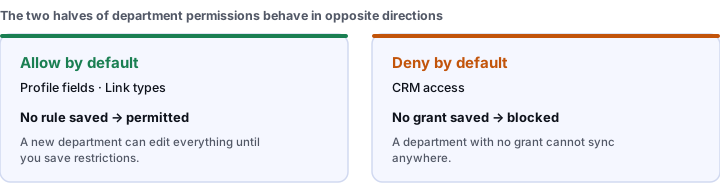
A missing rule means the opposite thing on each side
CRM access is the one that behaves opposite to the others. Profile fields and link types are allow-by-default — a missing rule means permitted. CRM access is deny-by-default — a missing grant means no access.
Setting restrictions
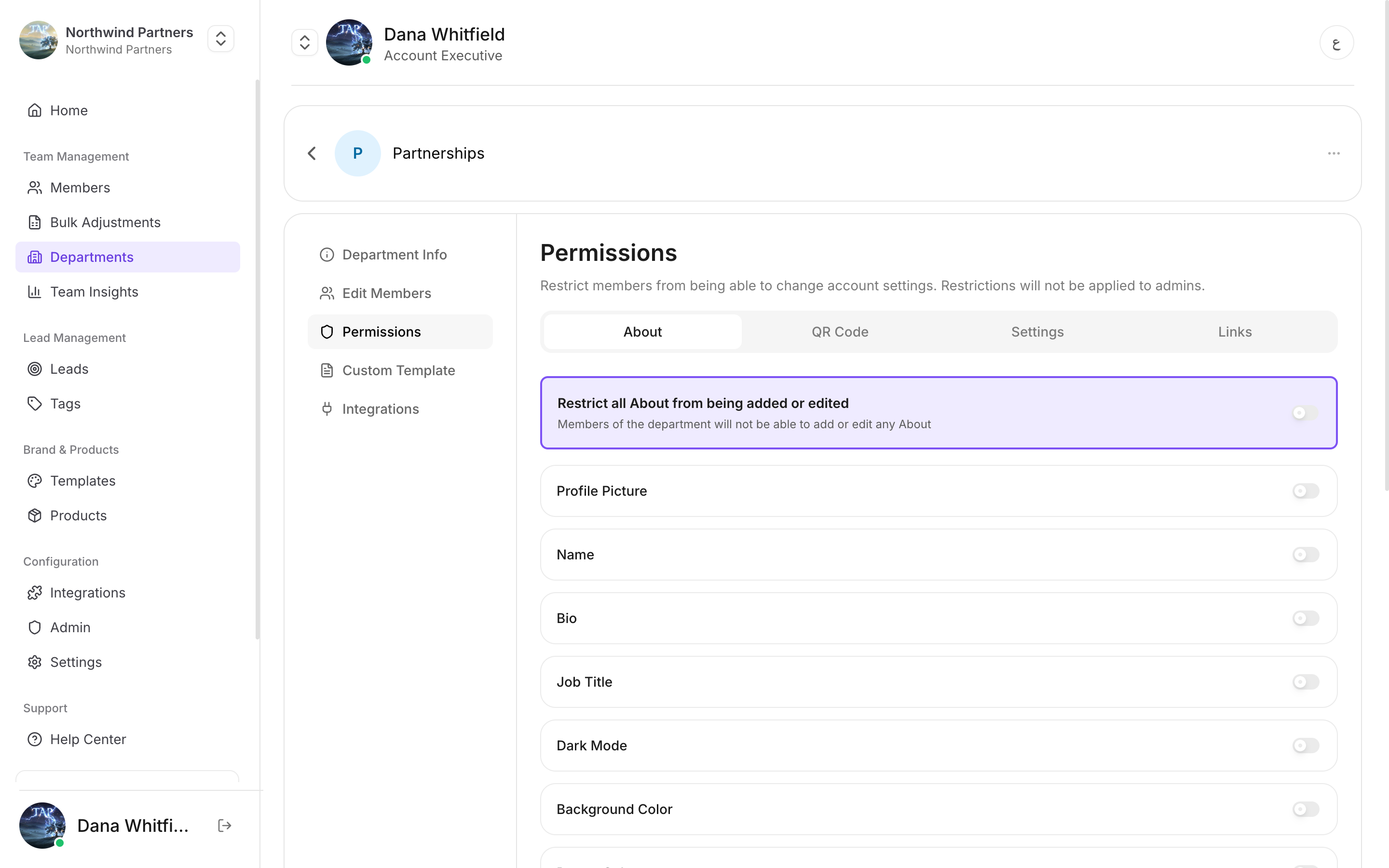
Each field toggles independently — and every toggle is off until you turn it on
1
Open the department
Departments → the department’s ⋯ menu → Edit Department → Permissions.
2
Set profile field rules
Toggle each field between editable and locked. Locked fields still display on the profile — members simply can’t change them. Values come from the template or from what an admin set.
3
Set link type rules
Toggle each link type. Blocking a type prevents members adding new links of that type. Links already on a profile are not deleted.
4
Grant CRM access
Tick the CRM providers this department may sync to. Leaving all unticked means members in this department can’t reach any CRM.
5
Save
Nothing takes effect until you save. This is the step that flips the department from full access to restricted.
A template just for this department
A department can also carry its own Custom Template, so one part of the business presents differently without needing a separate company.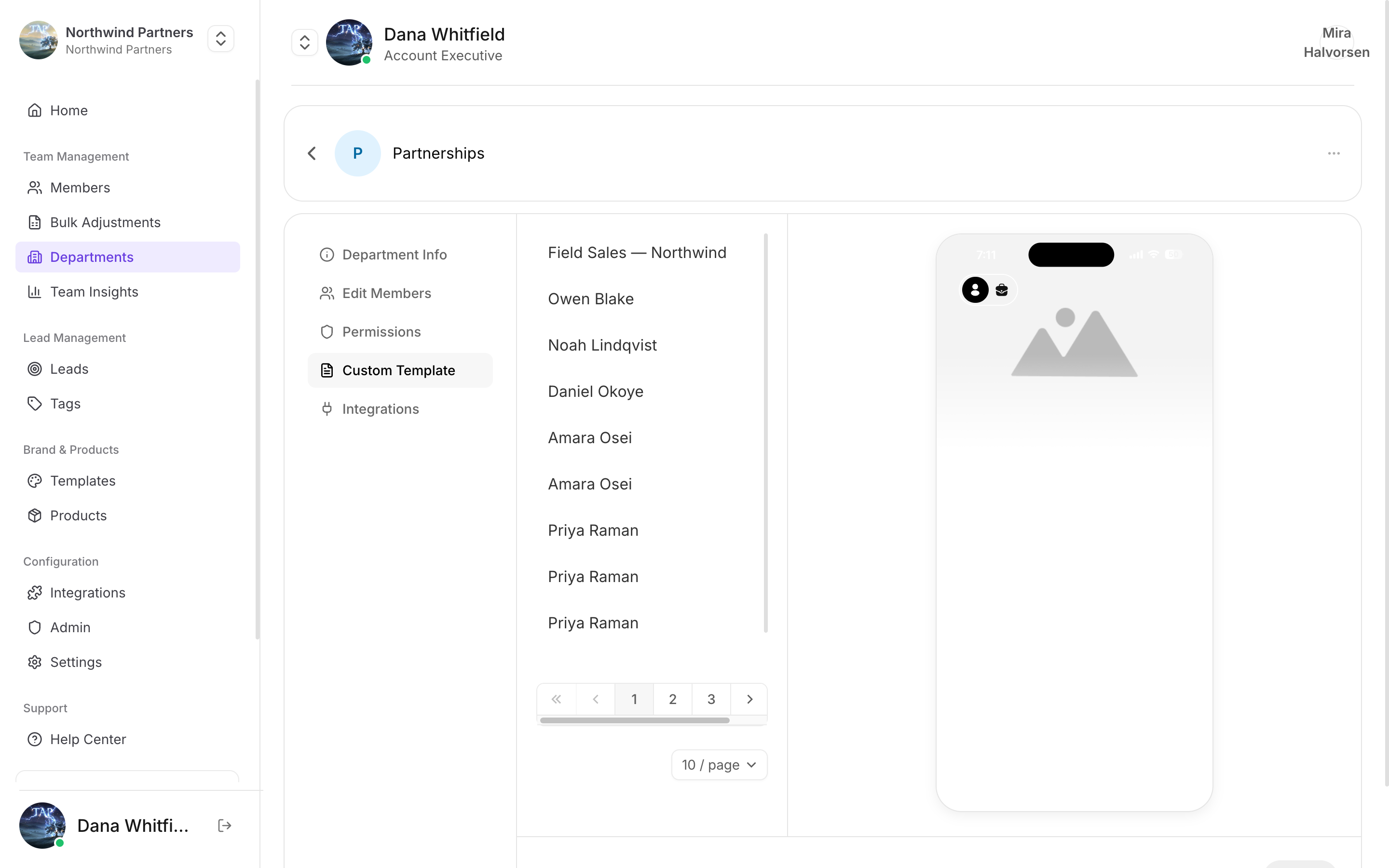
Custom Template sits alongside Permissions on the department
Sub-admin management
A department can be allowed to have its own admin — someone who manages the profiles inside their department without being a full company admin. This is off by default and enabled per company. Use it when regional managers should onboard their own reps but shouldn’t touch billing, templates, or other departments.Common setups
Field sales — locked brand, open personal details
Field sales — locked brand, open personal details
Lock company name, logo, and brand colors. Leave name, title, photo, direct phone, and calendar link editable. Allow LinkedIn and email link types, block everything else. Grant CRM access.Reps look consistent, still feel like individuals, and their leads reach the CRM.
Event staff — fully locked
Event staff — fully locked
Lock every profile field. Allow no link types. Grant no CRM access.Temporary staff share a company profile and capture leads, but can’t modify anything or reach customer data.
Executives — unrestricted
Executives — unrestricted
Save no restrictions at all. Full access is the default, so an unrestricted department needs no configuration — just don’t add rules.
Troubleshooting
A member says they can't edit a field
A member says they can't edit a field
Check their department’s profile field rules. Also confirm which department they’re actually in — members moved between departments pick up the new department’s rules immediately.
Restrictions don't seem to apply
Restrictions don't seem to apply
The most likely cause is that no rules were ever saved for that department, which means full access. Open the permissions screen and confirm rules are present, not just that the department exists.
A member can't sync to the CRM
A member can't sync to the CRM
CRM access is deny-by-default. Unlike field and link rules, an empty configuration blocks rather than allows. Grant the provider explicitly.