
How the score is calculated
Three components add up to a score out of 100.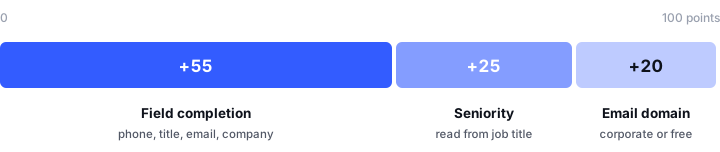
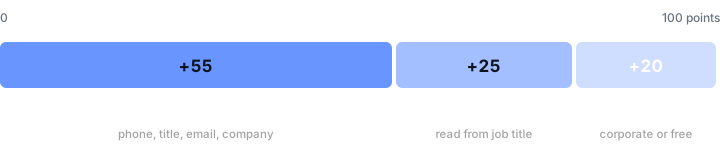
Where a lead's 100 points come from
Field completion
Links and uploaded files don’t add points. However many fields are filled, the total never goes above 100.
Email domain — up to 20 points
Seniority — up to 25 points
This is one slot, filled from the first of these three that has an answer. They never add up. 1. Buying role, when someone on your team has answered it:
2. Seniority found by lead enrichment for the person’s current role:
3. The job title, when neither of the above is available:
One score, shown two ways
The same 0–100 score appears differently depending on where you’re looking, which catches people out:Tap Teams
A percentage with a coloured bar — 88%, 64% — so you can sort a long list and work top-down.
Mobile app
A Hot / Warm / Cold badge, so a rep can triage at a glance without reading numbers at a busy booth.
These are not two different scores. A lead showing 88% in Tap Teams is the same lead showing Hot in the app.
The tiers
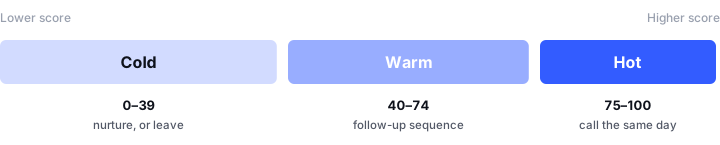
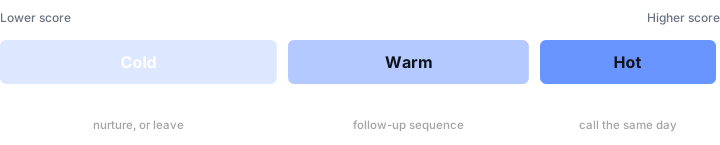
Cold 0–39, Warm 40–74, Hot 75–100
Hot — 75 to 100
Worth a same-day call.
Warm — 40 to 74
Put them in a follow-up sequence.
Cold — 0 to 39
Cold tier. Nurture, or leave alone.
What this means in practice
The scoring rules have direct consequences for how you configure capture, and they’re worth acting on deliberately:Phone number is the single most valuable field
Phone number is the single most valuable field
At +20 it’s worth more than a job title, and as much as email and company combined. If your capture form omits phone, you are capping every lead’s score by 20 points and pushing genuinely good leads into the Warm tier.
Job title is worth more than it looks
Job title is worth more than it looks
It scores +15 directly, and it’s what the seniority slot falls back on when there’s no buying role and no enrichment result. A lead with no job title and no buying role loses the 15 points and forfeits up to 25 more — 40 points, the difference between Hot and Cold.
A great lead using a personal email scores lower
A great lead using a personal email scores lower
A director who gives a gmail address loses the 20-point corporate bonus. This is a known limitation rather than a judgement about the person, and it’s the most common reason a lead you know is excellent shows as Warm.
The score can't see the conversation
The score can't see the conversation
Someone who told your rep they have budget approval and want a demo next week scores identically to someone who wandered past — unless the rep sets their buying role. Read the score alongside the meeting summary, never instead of it.
Qualifying a lead after capture
Right after a lead is saved, the app offers two quick questions to sort it further:- Relationship — how you know them
- Buying role — what part they play in a purchase decision
Answer these at the event if you can. Thirty seconds while the conversation is fresh produces better data than an hour of guessing a fortnight later.
Next: managing leads
Working leads once they’re captured and scored.