
A processed meeting: summary, key topics, buying signals, and talk ratio
Creating a meeting
1
Start from the lead
Record a meeting against the lead, or upload a recording you already have. For something shorter than a full conversation, record a voice note instead — see Notes.
2
Choose the language
Select the language the conversation is in before processing. Getting this right materially improves transcription accuracy.
3
Set the meeting type
The type determines which talk-ratio target the analysis measures you against — see below. It can be changed after the fact.
4
Let it process
Transcription and analysis run in the background. You don’t need to wait on the screen.
Meeting types
The type frames the whole analysis, because a good discovery call and a good negotiation look nothing alike:What happens to a recording
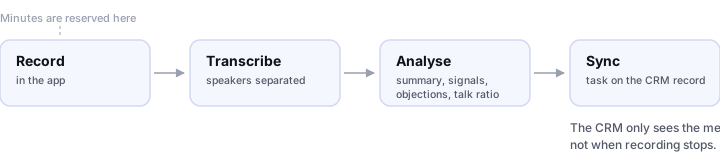
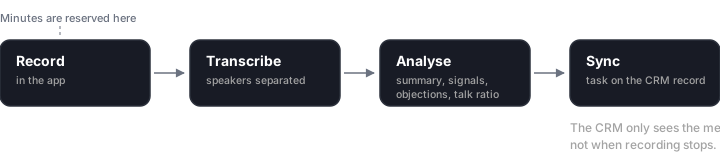
Minutes are reserved at the start; the CRM sees the meeting at the end
What the analysis gives you
Summary
What the conversation was about, readable at a glance weeks later.
Key topics
Auto-extracted subjects. Tap a topic to jump to that moment in the conversation.
Buying signals
Moments the lead moved toward a decision. The most commercially useful output in the product.
Top objections
Pushback raised during the conversation, which you can mark as handled.
Speaking time
How much you talked versus them, measured against a target.
Sentiment
How the tone moved through the conversation.
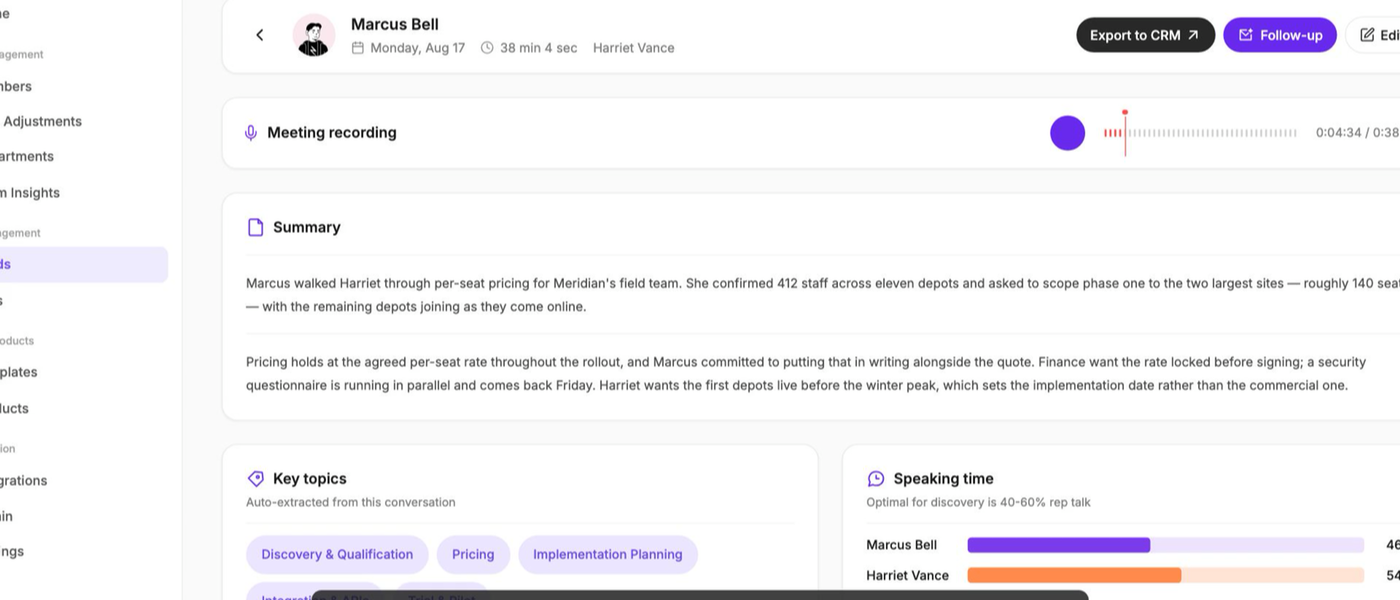
A processed meeting in Tap Teams — summary, key topics, and speaking time together
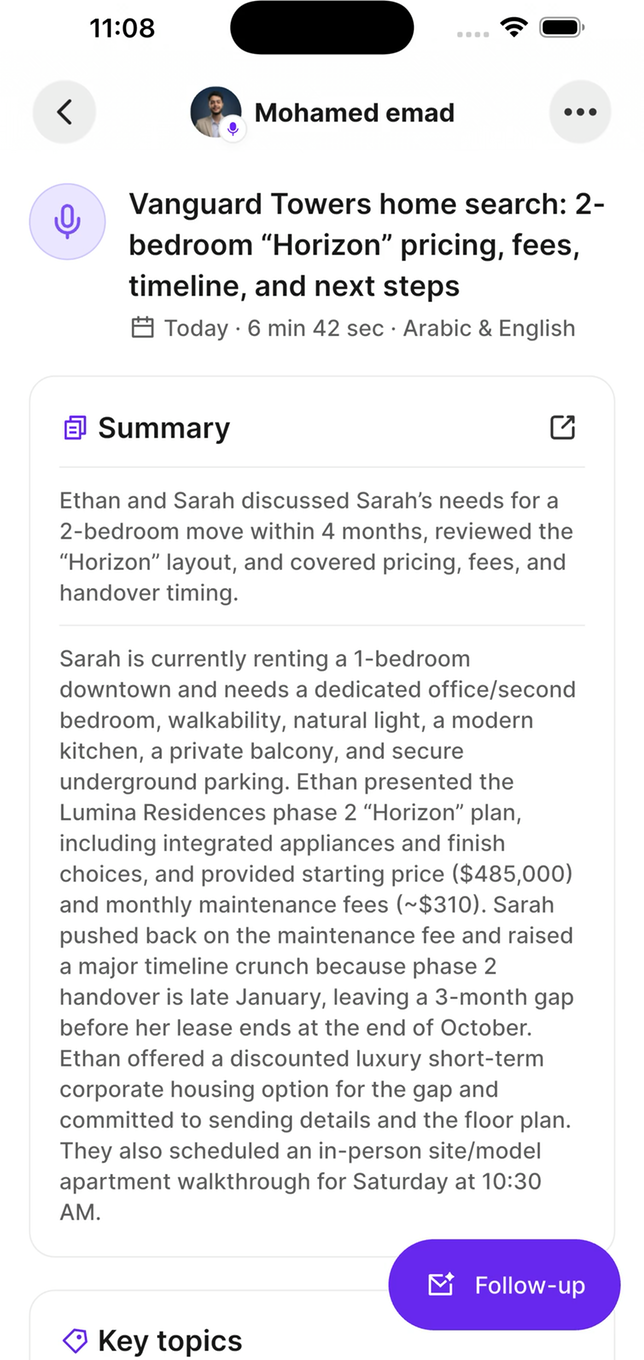
The same analysis in the mobile app
Talk ratio
Analysis measures what share of the conversation you spoke, and compares it to a target for that meeting type. Discovery calls have a low target — you should be listening — while a demo walkthrough legitimately has you talking more. You’ll see one of:Talk ratio measures airtime, not quality. Being on target isn’t proof the conversation went well, and being below target during a technical explanation may be exactly right. Treat it as a prompt to go listen to the recording, not a grade.
Participants
Meetings track who took part, and transcription separates speakers so the transcript shows who said what. With Google Calendar connected, attendees can be pulled from the invite rather than entered by hand.Meetings and your CRM
When a meeting finishes processing, its summary and action items sync to that lead’s CRM record as a task.The meeting syncs when analysis completes, not when recording stops. A summary that hasn’t appeared yet is usually still processing. And if the lead itself never synced, there’s nothing to attach to — fix the contact sync first.
Minutes
Meetings consume transcription minutes from your plan. If the pool is exhausted, the meeting is rejected before processing rather than failing partway. See Transcription.Getting good recordings
Get the phone close to both people
Get the phone close to both people
Trade show floors are brutally noisy. A phone on a table between two people transcribes far better than one in a pocket.
Say names early
Say names early
“Thanks for coming by, Sarah” gives speaker separation something to work with and makes the transcript far easier to read.
Set the language before recording
Set the language before recording
The largest single factor in transcription accuracy after noise. A conversation that switches languages mid-sentence is the hardest case there is.
Record the whole conversation
Record the whole conversation
Starting halfway through loses the context that makes the summary useful, and gives talk ratio too little to work with.