
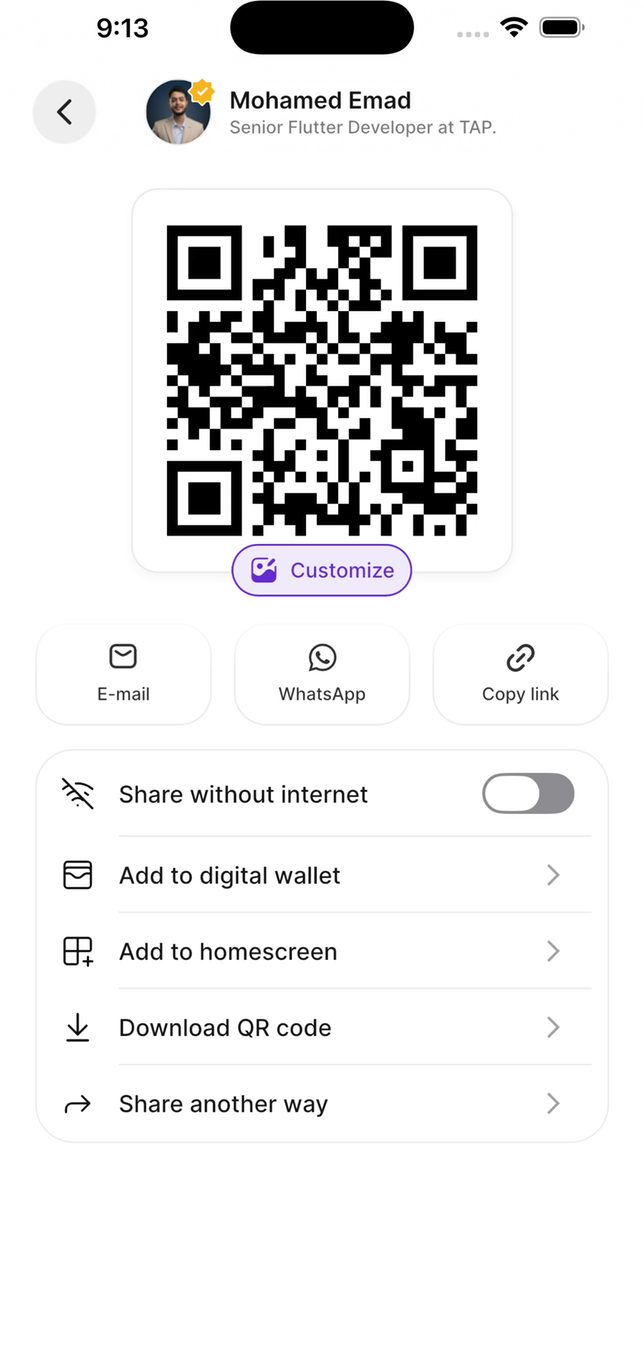
Everything on one screen — the QR, the quick methods, and the fallbacks
Ways to share
NFC tap
The visitor holds their phone near your Tap card or tag. Nothing to aim, no app on their side.
Link
Copy your profile link and paste it anywhere — a chat, an email signature, a video call.
QR code
They scan a code from your screen. Works at distance and on every phone.
AirDrop
Send your profile to a nearby Apple device.
WhatsApp or email
Send your profile link in a message, with the text pre-filled.
Sharing without internet
There’s a dedicated share without internet mode that shows a QR code working with no connection at all. Captured leads also queue offline and sync when you reconnect — just don’t sign out while captures are still pending.Customising your QR code
Your QR code doesn’t have to look generic. You can change:- Colours — match your brand
- Logo — put your mark in the centre
- Pattern — the dot style
Wallet passes
Add your profile to Apple Wallet or Google Wallet so it’s reachable from the lock screen. See Wallet passes.Which to use when
Close conversation, one person — NFC
Close conversation, one person — NFC
Fastest and most memorable. Someone who’s never seen NFC tends to remember the interaction, which is worth something where every booth blurs together.
Across a table, or a group — QR
Across a table, or a group — QR
Works at distance, and several people can scan the same code at once. Also your fallback when NFC doesn’t cooperate.
Not in the room — link
Not in the room — link
WhatsApp, email, follow-ups, signatures, video calls.
When NFC doesn’t work
NFC depends on the visitor’s phone, not yours.1
Check it's enabled
Some Android phones ship with NFC off.
2
Move the phone
The antenna is at the top edge on iPhone and usually the centre of the back on Android. Slide it around slowly.
3
Consider the case
Thick cases, metal cases, and wallet cases with cards in them all interfere.
4
Switch to QR
Don’t spend thirty seconds debugging someone else’s phone in front of them.
What happens after you share
The visitor’s browser opens your profile — no app install. They see your links and fill in your capture form if you have lead capture switched on. The lead appears immediately in the app and in Tap Teams.At an event
Test in the venue on arrival
Test in the venue on arrival
Capture one test lead before the doors open.
Keep screen brightness up
Keep screen brightness up
A dim screen under exhibition lighting makes QR codes slow to scan.
Bring a battery pack
Bring a battery pack
A day of NFC, screen-on time, and recording drains a phone fast, and a dead phone captures nothing.
Know the offline screen
Know the offline screen
Worth repeating: find it before the network fails, not after.