
Adding a link
Choose the type first, then fill in the value. The type matters — a phone number added as a phone link opens the dialler, while the same digits as plain text do nothing. You can search the available apps and services, or add a fully custom link. Each link can carry a title and a description.If a link type you want isn’t available, it’s one of two things: your department restricts it, or it’s included only on a higher plan. Department restrictions are the more common of the two and free to change — ask your admin first.
Embedded media
Some links render as playable or browsable content on your profile rather than as a row to tap:Music
Embed a Spotify link and it plays directly in your profile.
Video
Embed a YouTube video that previews inside the profile.
Image carousel
Add up to 10 images as a swipeable gallery.
Ordering and highlighting
Order deliberately: most visitors read the top two or three rows and stop. Put the action you most want first — usually a booking link or a direct email, not a switchboard number. Links can also be highlighted, which floats them above the rest.Visibility
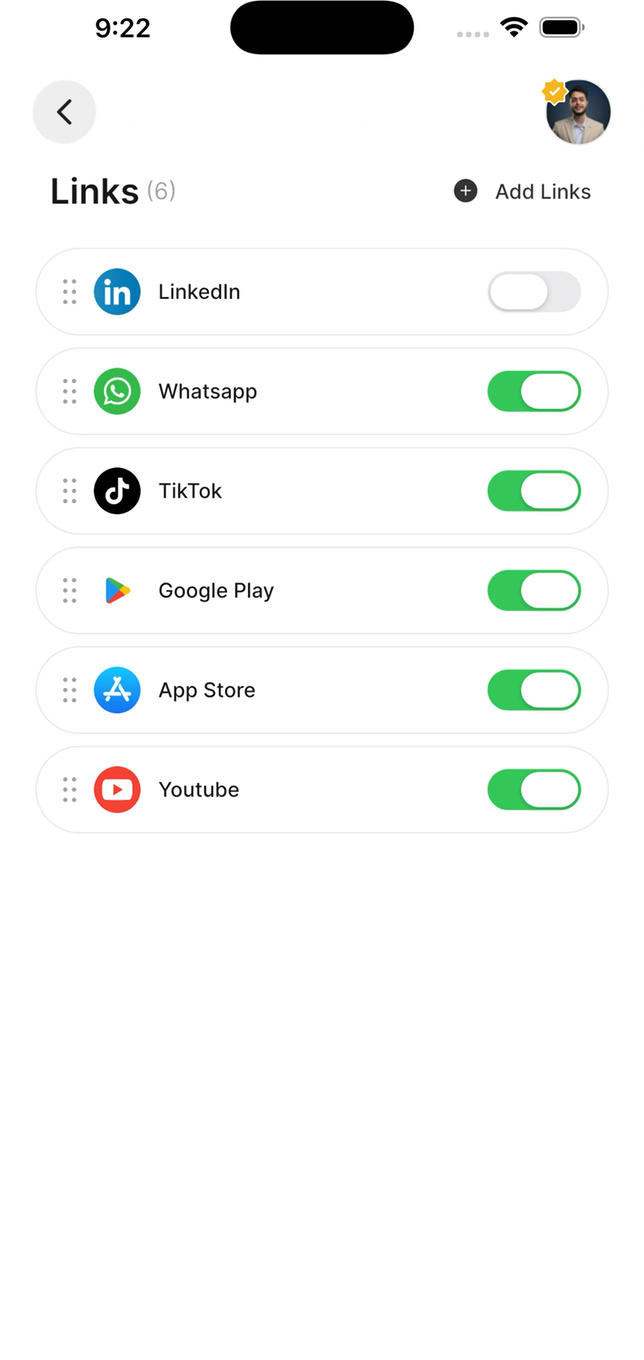
Drag the handle to reorder; the toggle hides a link without deleting it
Direct mode
Direct mode redirects your profile to a single link. Instead of seeing your profile, anyone who taps or scans goes straight to that one destination. Turn it off to restore the normal profile. Nothing is lost while it’s on.Link groups
Group related links so they present together — all your social accounts under one heading. Groups keep a profile with many links readable.Analytics
Links track views and clicks, and you can see which link is clicked most. This is the most honest feedback you’ll get about your profile: a link nobody ever taps is taking up space above one they might. See Profile analytics.Keeping links working
Check them after any website change
Check them after any website change
A marketing site restructure quietly breaks every deep link into it. Nobody tells you — visitors just hit a 404 and leave.
Use full URLs
Use full URLs
Include
https://. A URL without it can be treated as relative and fail.Fewer links, better links
Fewer links, better links
Eight links is a menu nobody reads. Four is a set of choices.
Re-upload files when they change
Re-upload files when they change
A file link points at what you uploaded. Updating the document elsewhere doesn’t update what visitors receive.