
Creating a tag and choosing who can use it
Creating tags
Tags → Create. Tags are defined once at team level and then available according to their access level.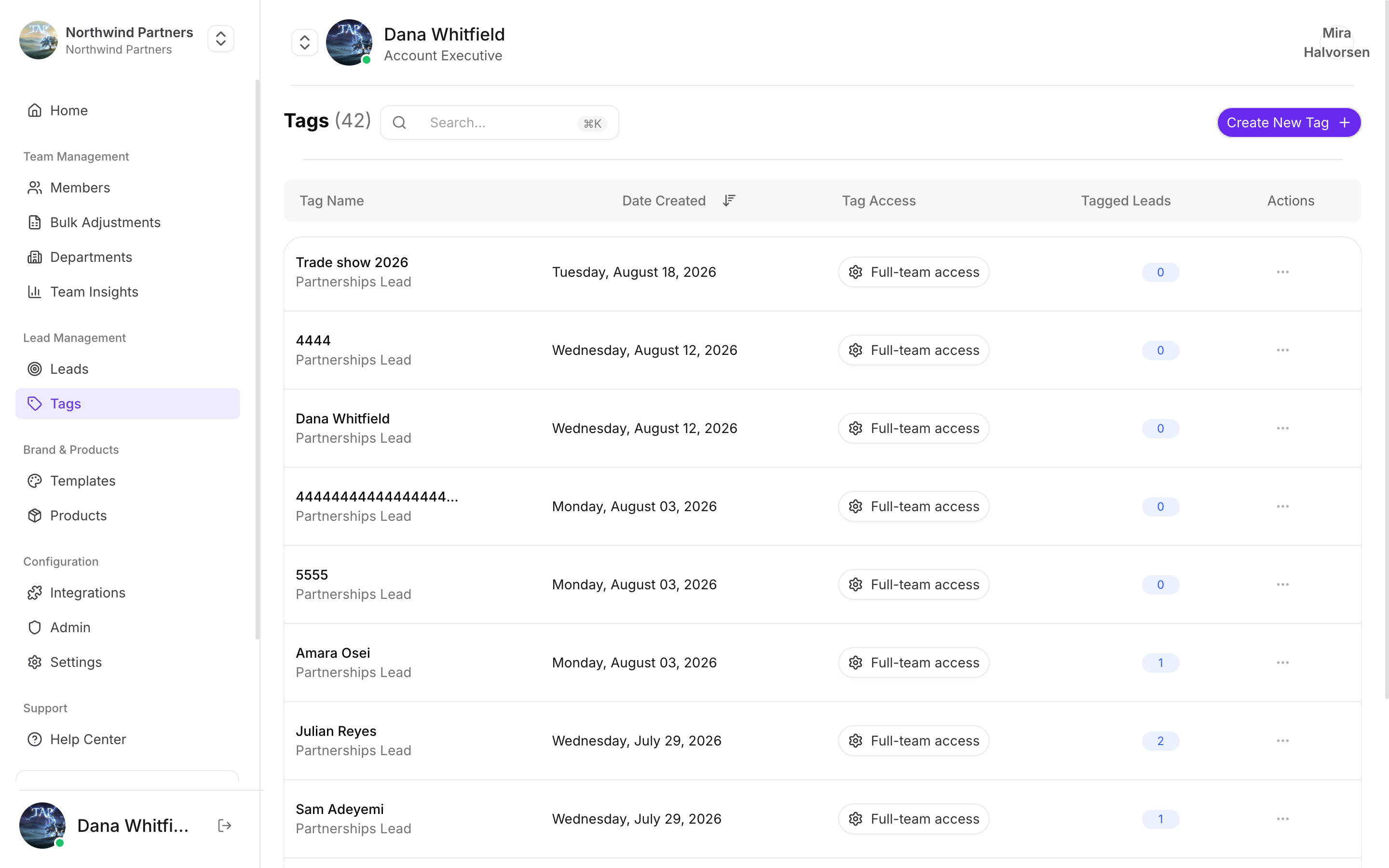
Every tag records who created it, when, and how many leads carry it
Tag access
Each tag has an access level that decides who can use it:What to tag
Events
saastr-2026, webinar-march. The single highest-value use — it’s how you measure whether an event was worth attending.Interest
enterprise-plan, wants-demo. Lets marketing route follow-up without reading every note.Priority
hot, follow-up-this-week. Simple triage a rep can apply in three seconds at a booth.Qualification
decision-maker, not-a-fit. Saves someone else chasing a dead lead later.Applying tags
- One lead at a time — open the lead and add tags.
- In bulk — select several leads and tag them together. This is the practical way to tag an event: filter to the date range, select all, apply the tag.
Keeping tags usable
Tag lists rot. A team of twenty generates dozens of near-duplicates within a year unless someone tends them.Agree a naming convention early
Agree a naming convention early
Lowercase with hyphens, and a consistent shape for recurring types —
event-berlin-2026 rather than a mix of Berlin, berlin conf, and BERLIN2026. Decide before your first event, not after your fifth.Review after each event
Review after each event
Ten minutes after an event, while you still remember what the tags meant, is the cheapest possible time to clean them up.