
Settings here apply to your whole company, not to individual members. Find them under Settings in Tap Teams.

Walking the company-wide settings and what each one changes
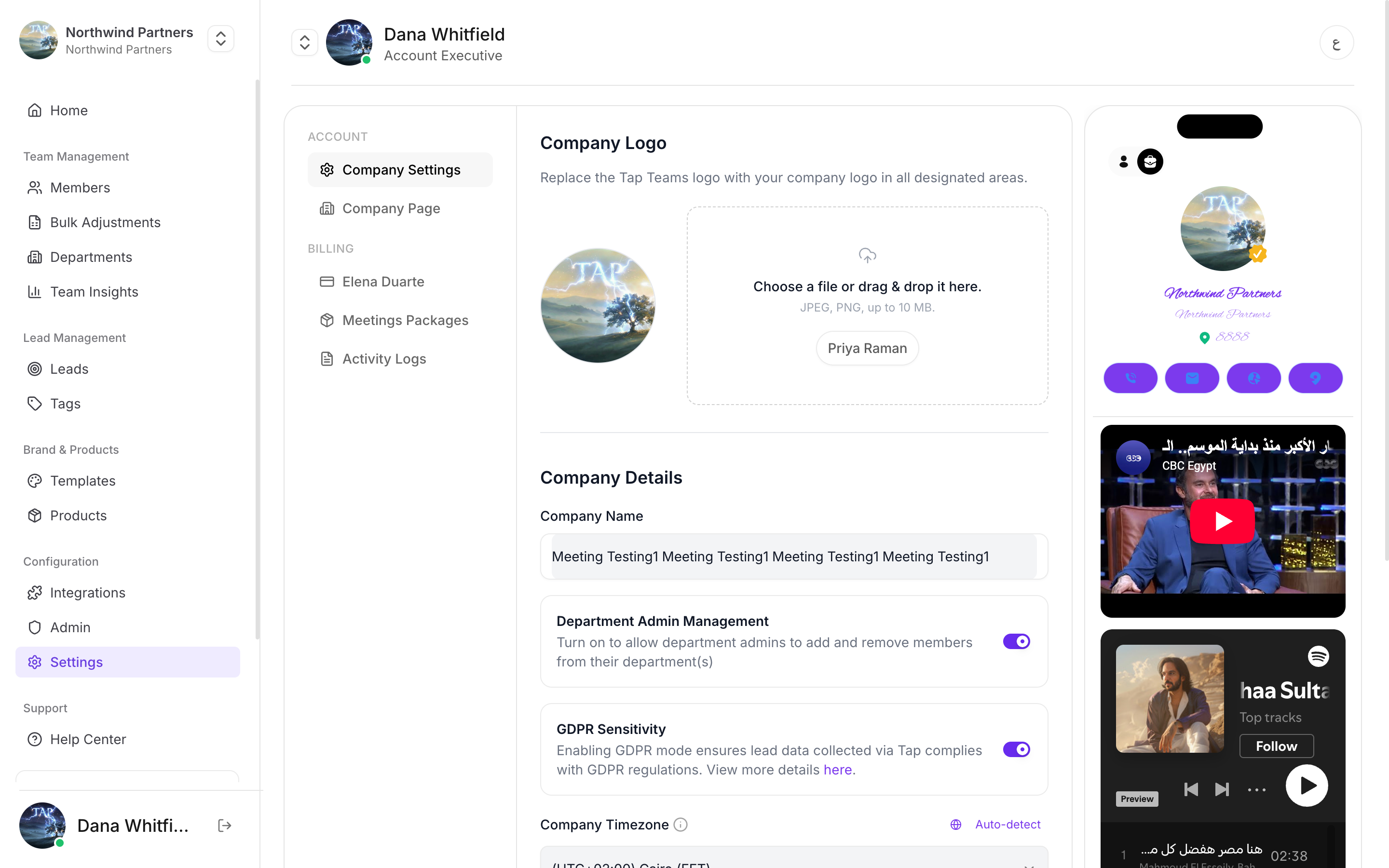
The Settings screen showing company details, a Department Admin Management toggle, a GDPR Sensitivity toggle, and a company timezone selector.

Company-wide switches live together under Settings

Alongside company details you’ll find My Subscription, Meetings Packages, and Activity Logs. Your logo appears across the product and on member profiles that inherit it from a template.
Changing the logo here doesn’t overwrite a logo a member has already customised on their own profile. To make a brand change stick everywhere, set it in the template and lock the field in the department.

Company timezone

Sets the timezone Insights uses to group activity into days and weeks. There’s an auto-detect option if you’d rather not pick from the list.
Get this right before you start reading insights seriously. A distributed team left on the wrong timezone will see meetings landing on the wrong day, which quietly distorts every daily and weekly comparison. Set it to wherever your reporting is done, and leave it alone — changing it later shifts historical numbers and makes past comparisons unreliable.

Department admin management

Controls whether departments can have their own admins — people who manage the profiles inside their department without being full company admins. Off by default. Turn it on when regional or team managers should onboard their own people but shouldn’t touch billing, templates, or other departments. See Department permissions.

GDPR sensitivity mode

A company-wide switch for stricter handling of captured personal data. See GDPR mode.

Who can change these

Company admins only. Department admins and members don’t see this screen.
Settle these four during setup rather than after your first event. Timezone and department admin management in particular are much less disruptive to set correctly at the start than to change once people are relying on them.